
Expandible.com. (CC). 2014. Retrieved from: http://expandible.com/top-5-open-source-alternatives-to-microsoft-office/
In this weeks session of
"Learning in a Digital Context" we explored a tool that I, along with
many of you reading this blog may be familiar with called Google Docs. I have
some experience in using this tool and it is one of the most important pieces
of my PLE and a program that I recommend and use in any situation it is
beneficial. Google Docs has a simple interface that is very similar to word
processing programs that most people have used a fair amount. The layout of the
program is easy to follow as the icons and menus are positioned in a way that
people feel satisfaction with the ease of use. There are some elements that are
more complicated as with any word processors, but for the average user that is
only looking for an application that provides basic functions with efficient
collaboration ability, this is the best program I have ever tried. As you can
imagine, with the connectivity of Google mixed with the simplicity and
functionality of Microsoft Word (although not exactly the same layout) the
number of possible uses for this program is a long list. The first function
that I use the program most often for is working on research papers with peers
as this allows multiple users to work on the document at the same time. The
second application that I also use quite frequently is using Google Docs as a
storage space for documents that I have to access from multiple locations and
devices (ex. personal laptop, iPad, school computer, etc.). Even though there
is no collaboration involved in this second example, this is one of the best
uses of Google Docs as the document can be easily accessed and edited which
sets it apart from other cloud applications and you don't have to carry around
and possibly lose your USB key. The third application of Google Docs that I
have experienced was using Google Sheets to share a work schedule among many
people. This program allowed my employer to keep track of when each person was
working and we could also make changes with permission of the administrator if
we had to trade shifts.
I had already used Google
Docs when I created my PLE diagram in our second session. At the time I
included this program in the "create" and "connect" areas
of the diagram. I have now realized that all this time Google Docs could also easily
be connected to the "convenience" portion of the diagram. Google
Docs, as I noted earlier, is a convenient application because it allows the
user to access documents on multiple devices in different locations. There is
also the convenience based on the ease of use compared to other cloud
applications as the document can be edited online, rather than the usual
download-edit-save-upload process that takes significantly more time.
By learning about more of
the capabilities of Google Docs, I have not fully eliminated any of the
elements of my PLE diagram, but I have reduced the use of some of the
applications. Almost all of my Facebook use is due to sending messages or
documents to peers for group projects and tasks. Using Google Docs will
eliminate the need to share documents using Facebook for the most part,
reducing the influence of this social media site on my personal learning
environment. Similar to Facebook, many of the emails I have sent is to share
documents with peers or with myself for easy access, but with the capabilities
and ease of Google Docs, this will also be significantly reduced. So although I
have not eliminated any of my elements from my PLE, the frequency and
importance of use for some of the applications has been considerably reduced.
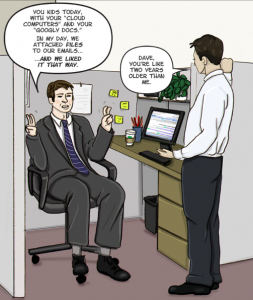
SeniorHealthMoment.com. (CC). 2011. Retrieved from: http://www.seniorhealthmoment.com/humor/youngins-and-their-googley-docs
When I first started my
Feedly, one of the original accounts I added was "Digital Trends" as
I thought that it would be a great source of information that might connect to
this course. This week I was finally able to use a resource from it, and it
fits in perfectly with our topic of Google Docs. The article has tips that will
help people become acquainted with the program so they can reach the full
potential of this powerful collaborative tool. Even though I had experience
with Google Docs before this week's session, the following link still provided
a nice recap of the basics of Google Docs. I would suggest taking a look even
if you have used Google Docs before, as there are some helpful tips that might
make you more proficient with this tool. If you have never used this wonderful
application before, I would highly recommend you give it a try and see how it
works for you!


Hi Austin,
ReplyDeleteI really like your discussion on Goggle Docs. Your category of convenience in your PLE is something I had never thought of before. In my PLE I have social networking and connection, but convenience is a very interesting topic as most of our Web 2.0 tools allow us to conveniently connect, collaborate, and create together. I to see Google Docs as a replacement to Facebook and E-mail for collaboration as everything can be stored in one place but accessed from an unlimited amount of digital technologies as you mentioned. Digital literacy, as you brought up in your discussion about your Feedly reader article, is something I have come to see as very important. This is when you expand your knowledge, by learning and practicing with digital tools in order to use them most efficiently. I have found that after and during every week I am able to exercise and increase the amount of digital literacy I have with tools we are introduced with as well as tools I have been using for a long time. What other tools have you practiced at and gained knowledge from?
Thanks so much for sharing!
Shannon